
Video Editing
Video Editing Course in Gurugram
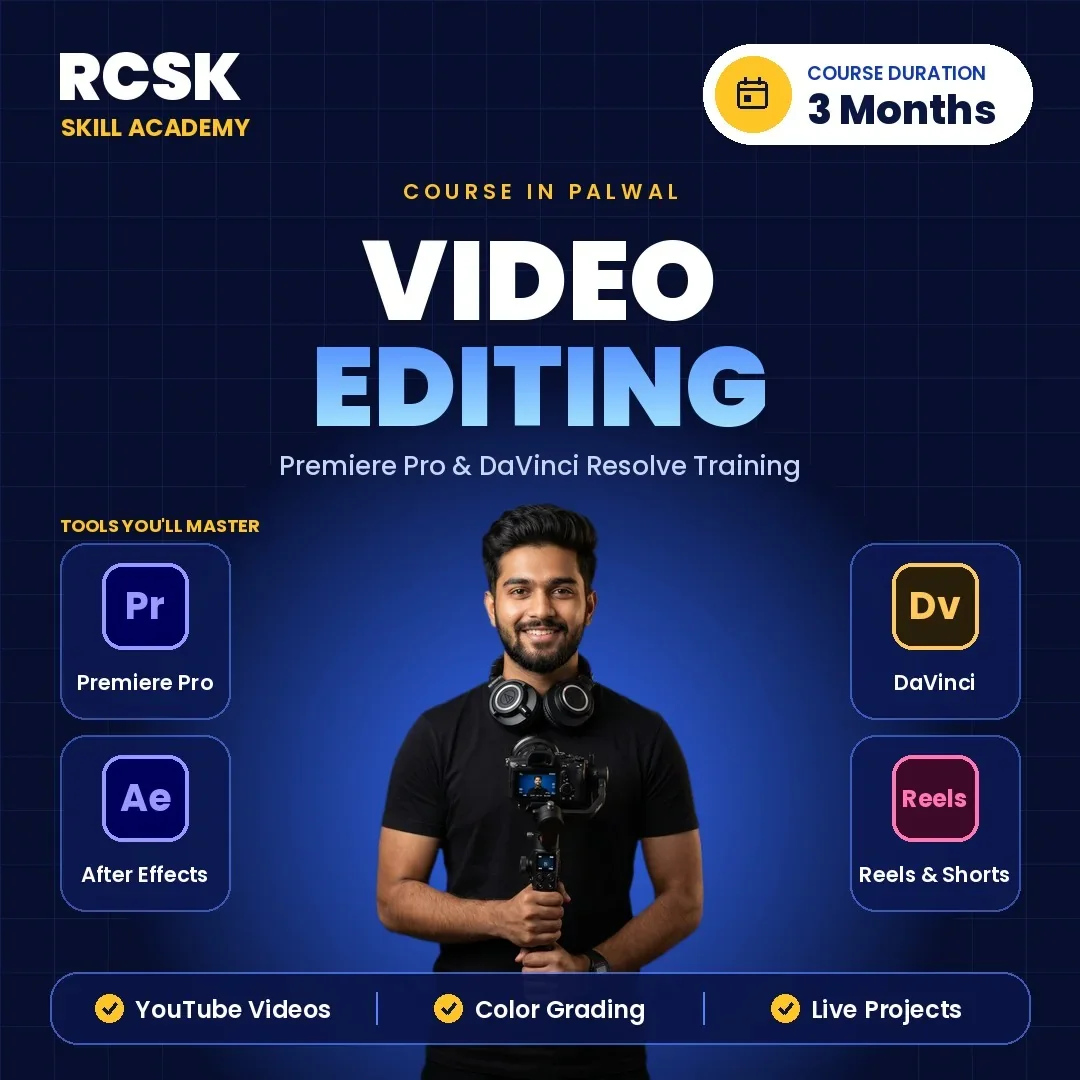
Join the Video Editing Course and learn Premiere Pro, After Effects, DaVinci Resolve, colour grading, motion graphics and AI editing tools. 3-month practical training with live projects.

About the Video Editing Course
Every business, influencer, YouTuber and brand now needs strong video content, and the demand for skilled editors is rising fast. Our Video Editing Course is built around hands-on learning – you work on real projects from day one: cinematic edits, YouTube videos, Instagram Reels, ad campaigns and corporate videos.
You train on the industry-standard tools – Adobe Premiere Pro, After Effects, DaVinci Resolve, Audition and Photoshop – and learn colour correction and grading, transitions, motion graphics, audio editing, visual effects and AI editing workflows. Classes run at our centre on NH-19, Delhi Mathura Road, Palwal, easily reached from Gurugram and Faridabad.
Also explore: YouTube Marketing Course · Graphic Design Course
Who Should Join This Video Editing Course?
Students & graduates
Who want a creative career in media, film or digital marketing.
YouTubers & content creators
Who want to edit their own videos, reels and shorts like a pro.
Freelancers
Who want to sell editing services to clients in India and abroad.
Business owners & professionals
Who need promotional, product and social videos for their brand.
Complete beginners
The course starts from the basics and builds up to advanced editing techniques.
What You Will Learn in the Video Editing Course
01Introduction to Video Editing
Formats, frame rates, codecs and workflow
Introduction to Video Editing
Formats, frame rates, codecs and workflow
What video editing is, career options, video formats and resolution, frame rate, aspect ratio and codecs, editing workflow, and hardware and software needs.
02Adobe Premiere Pro
From basics to professional editing
Adobe Premiere Pro
From basics to professional editing
Interface, importing and organising media, timeline and sequences, shortcuts, trim, ripple and rolling edits, multi-camera, split screen, speed ramps, proxies, nesting and adjustment layers.
03Audio Editing
Clean-up, music, SFX and mixing
Audio Editing
Clean-up, music, SFX and mixing
Audio clean-up and noise reduction, voice enhancement, background music, sound effects, mixing and synchronisation.
04Colour Correction and Grading
Lumetri, LUTs and cinematic looks
Colour Correction and Grading
Lumetri, LUTs and cinematic looks
White balance and exposure, colour wheels, the Lumetri Color panel, LUTs, cinematic grading and skin tone correction.
05Motion Graphics and VFX
After Effects, tracking and green screen
Motion Graphics and VFX
After Effects, tracking and green screen
Keyframes and animation, motion tracking, chroma key, masking, text and logo animation, intros and outros, object removal, camera tracking, light and particle effects and screen replacement.
06Social Media and YouTube Editing
Reels, Shorts, vlogs and podcasts
Social Media and YouTube Editing
Reels, Shorts, vlogs and podcasts
Instagram Reels, YouTube Shorts, video ads, vertical 9:16 editing, captions and subtitles, vlogs, gaming, educational and podcast videos, thumbnails and YouTube export settings.
07AI Tools and DaVinci Resolve
Firefly, auto captions and Resolve basics
AI Tools and DaVinci Resolve
Firefly, auto captions and Resolve basics
Adobe Firefly, AI captions, voice enhancement, object and background removal, upscaling and repurposing, plus DaVinci Resolve editing, grading, audio and export.
08Live Projects, Portfolio and Placement
Showreel, freelancing and interviews
Live Projects, Portfolio and Placement
Showreel, freelancing and interviews
Commercial, wedding, corporate, podcast and music video projects, a showreel and Behance portfolio, Fiverr and Upwork setup, pricing, resume building, mock interviews and placement assistance.
Skills You'll Gain in Video Editing
- Professional Video Editing
- Premiere Pro
- After Effects
- Motion Graphics
- Visual Effects
- Colour Grading
- Audio Editing
- Reels & Shorts Editing
- YouTube Editing
- AI Video Tools
- Showreel & Portfolio
- Freelancing Skills
TOOLS YOU'LL MASTER
 Adobe Premiere Pro
- Adobe After Effects
- Adobe Photoshop
You edit inside these tools every class, so by the end you can take a raw shoot to a finished, exported video on your own. Also covered: DaVinci Resolve, Adobe Audition, Adobe Media Encoder and Adobe Firefly AI.
Why Learn Video Editing at RCSK Skill Academy?
RCSK Skill Academy has trained 7,150+ students across 10+ years of skill training and works with 100+ hiring companies for placement support. You get one-to-one mentoring, an internship opportunity, lifetime learning support and interview preparation, along with a certificate on completion.
You leave with a showreel and portfolio of real edits, which is what clients and studios ask to see. Grow your own channel with the YouTube Marketing Course, or add design skills with the Graphic Design Course.
FAQ – Video Editing Course
Still have questions? Call or WhatsApp 99964 23465.
What is the Video Editing Course at RCSK Skill Academy?
It is a 3-month practical video editing course covering Premiere Pro, After Effects, DaVinci Resolve, Audition and Photoshop, colour grading, motion graphics, VFX, audio, social and YouTube editing, AI tools and portfolio building.
Where are the classes held?
Classes are held Monday to Saturday between 9:00 AM and 7:00 PM at our centre on NH-19, Delhi Mathura Road, Palwal, easily reached from Gurugram and Faridabad.
Which software will I learn?
Adobe Premiere Pro, Adobe After Effects, DaVinci Resolve, Adobe Audition, Adobe Photoshop, Adobe Media Encoder and Adobe Firefly AI.
Can beginners join this course?
Yes. The course starts from the basics and gradually moves to advanced editing, so it suits beginners as well as those with some experience.
What jobs can I get after the course?
You can work as a video editor, motion graphics designer, social media video editor, YouTube editor or freelance editor, with placement assistance from our 100+ hiring companies.
Will I get a certificate after the course?
Yes, an RCSK Skill Academy certificate is issued on completion of the course and its practical project work.
How do I book a free demo class?
Call or WhatsApp 99964 23465 to book your free demo class, or visit us at NH-19, Delhi Mathura Road, Palwal.
- Duration: 3 Months
- 100% Job Placement Assistance

Video Editing Course Outline
What will you Learn In This Course?
Tools Covered


Get set to step into a successful career journey. Get a head start with us.


 9996423465