
Graphic Design
Graphic Design Course in Palwal
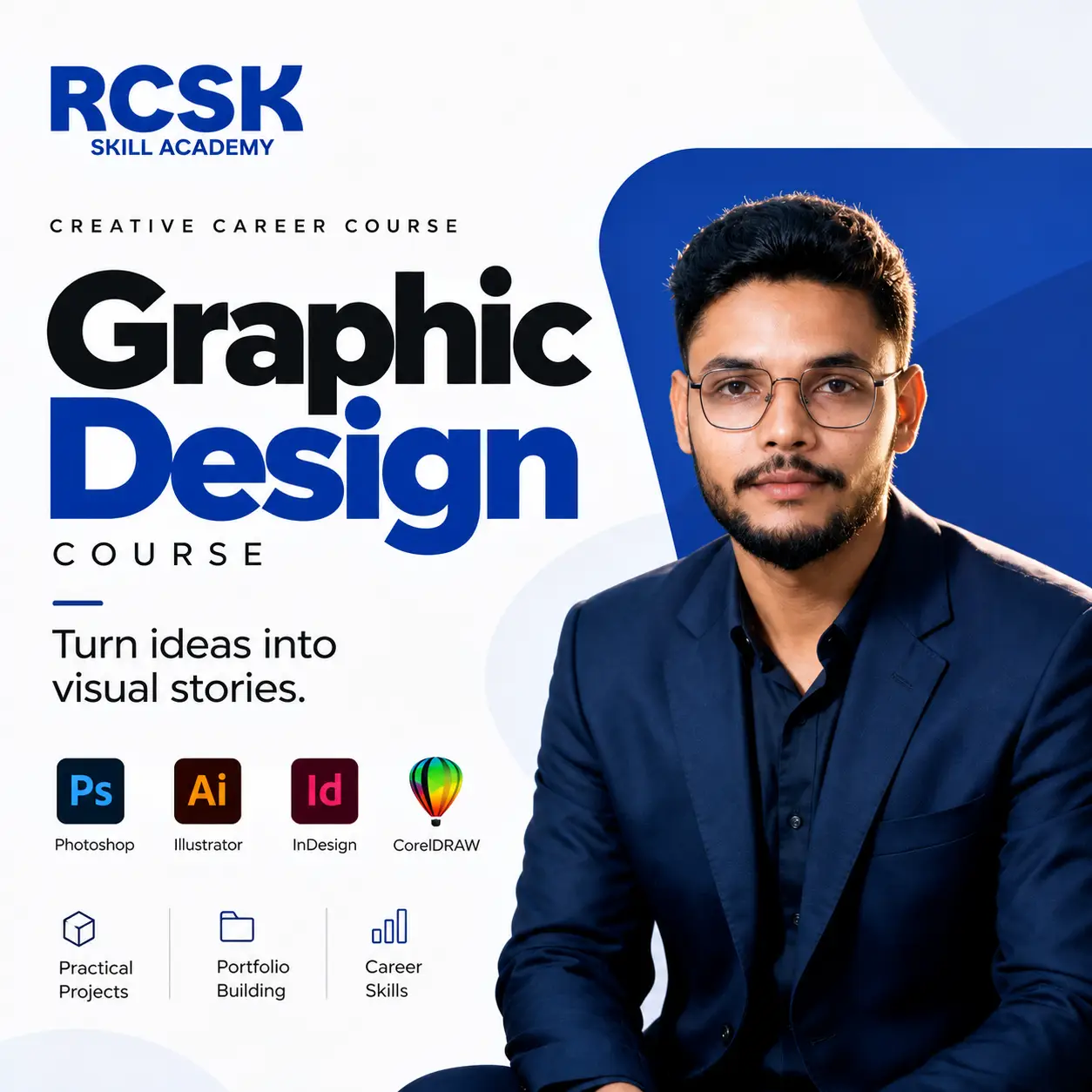
Join the Graphic Design Course in Palwal and learn Photoshop, Illustrator, InDesign, CorelDRAW and AI design tools. 3-month practical training with live projects and a ready portfolio.
About the Graphic Design Classes in Palwal
A student once brought us a poster he had made for his father's shop: bright red background, five fonts, a yellow border and text in every corner. We asked one question: “What do you want the customer to read first?” That is where graphic design actually starts – not with software buttons.
Our graphic design course in Palwal teaches you to think before you design. You learn Photoshop, Illustrator, InDesign, CorelDRAW and AI tools, but also colour, spacing, fonts and layout, so your work looks clean instead of loud. Your trainer, Mr. Pawan Kumar, has 5+ years of industry experience on live client work for brands including JK Tyre, Toshiba, Midea, Haldiram's and Royal Enfield, and corrects real student work on the projector in class.
Also explore: Video Editing Course · Social Media Marketing Course
Who Should Join This Graphic Design Course in Palwal?
12th-pass & college students
Who want a creative, practical career skill.
Job seekers
Who want to work in agencies, printing presses or in-house design teams.
Business owners & shopkeepers
Who need their own banners, posters, logos and Instagram creatives.
Freelancers & YouTubers
Who design thumbnails, wedding cards, catalogues and festival creatives.
Complete beginners
No design degree needed – just basic computer handling and the patience to practise.
What You Will Learn in the Graphic Design Course
01Design Basics
Colour, typography, spacing and layout
Design Basics
Colour, typography, spacing and layout
The principles behind good design: hierarchy, colour, font choice, spacing and layout, and how to explain every design decision you make.
02Adobe Photoshop
Photo editing, posters and social creatives
Adobe Photoshop
Photo editing, posters and social creatives
Workspace and tools, image editing and colour correction, selections and masking, background removal, retouching, social posts, posters, banners, smart objects, mockups and export for web and print.
03Adobe Illustrator
Logos, icons and brand identity
Adobe Illustrator
Logos, icons and brand identity
Vector vs raster, Pen tool and Shape Builder, logo design, icons and symbols, typography effects, vector illustration, business cards, colour palettes and export formats.
04Adobe InDesign
Brochures, catalogues and print layouts
Adobe InDesign
Brochures, catalogues and print layouts
Page layout for brochures, catalogues, business profiles and print material, from basics to print-ready files.
05CorelDRAW
Print work for local printers and businesses
CorelDRAW
Print work for local printers and businesses
The tool still used by most local printers: flex banners, visiting cards, pamphlets and print-ready artwork.
06Freepik and Templates
Resources, licensing and customisation
Freepik and Templates
Resources, licensing and customisation
Using vectors, photos and PSD files, editing templates in Photoshop and Illustrator, free vs premium licensing, and customising templates for clients.
07AI Design Tools
ChatGPT and Midjourney
AI Design Tools
ChatGPT and Midjourney
Generating ideas, captions and taglines with ChatGPT, writing prompts for Midjourney, concept art, logo ideas and backgrounds, and the ethics and copyright basics of AI images.
08Portfolio and Freelancing
Behance, Fiverr, Upwork and pricing
Portfolio and Freelancing
Behance, Fiverr, Upwork and pricing
Building a Behance portfolio, presenting client work, pricing your services, Fiverr and Upwork essentials, client handling and project delivery.
Skills You'll Gain in Graphic Design
- Design Principles
- Typography
- Colour Theory
- Photo Editing
- Logo Design
- Brand Identity
- Social Media Creatives
- Print Design
- Vector Illustration
- AI Design Tools
- Portfolio Building
- Freelancing Skills
TOOLS YOU'LL MASTER
 Adobe Photoshop
- Adobe Illustrator
- Adobe InDesign
- Freepik
- Midjourney
- ChatGPT
- Behance
- Fiverr
You design inside these tools in every class, so by the end you have logos, posters, social creatives and print work in your own portfolio. Also covered: CorelDRAW and Upwork.
Why Learn Graphic Design at RCSK Skill Academy?
RCSK Skill Academy has trained 7,150+ students across 155+ batches and 10+ years in Palwal, and 100+ companies have hired our students. Batches are small enough that someone notices when you copy a tutorial without understanding it, and Mr. Bhagvan Dass keeps a close eye on attendance and discipline, because design skill grows only with regular practice.
You also get placement assistance and an internship opportunity with Ensokai marketing agency. We do not promise a guaranteed job – we promise practical training, live projects, a proper portfolio and honest guidance. Pair your design skills with our Video Editing Course or the Social Media Marketing Course.
FAQ – Graphic Design Course in Palwal
Still have questions? Call or WhatsApp 99964 23465.
What is the Graphic Design Course in Palwal at RCSK Skill Academy?
It is a 3-month practical graphic design course at RCSK Skill Academy in Palwal covering design principles, Photoshop, Illustrator, InDesign, CorelDRAW, Freepik, AI tools like ChatGPT and Midjourney, and portfolio and freelancing skills.
What are the graphic design course fees in Palwal at RCSK?
Fees start from Rs 35,000. For the exact fee, instalment options and current batch details, call 99964 23465.
I am a complete beginner. Can I join?
Yes. We start from the basics, and many students join without ever having opened Photoshop.
Do you provide placement?
We provide placement assistance and internship support with Ensokai marketing agency. We do not promise a guaranteed job.
Will I get a certificate?
Yes, you receive an RCSK Skill Academy certificate after completing the training and project work.
What can I do after this course?
You can work as a designer in an agency or printing press, handle social media design for businesses, or freelance on logos, thumbnails, wedding cards, catalogues and festival creatives.
How do I book a free demo class?
Call or WhatsApp 99964 23465 to book your free demo class, or visit us at NH-19, Delhi Mathura Road, Palwal.
- Duration: 3 Months
- 100% Job Placement Assistance


Complete Graphic Design Tools – Course Outline
What will you Learn In This Course?
Tools Covered


Get set to step into a successful career journey. Get a head start with us.



 9996423465